 Droopify Team
On this page:
Done for You eBay Dropshipping: How to Manage It Best with Droopify
If you offer "Done For You" (DFY) services for eBay dropshipping, you know how chaotic it can become to jump from one profile to another. Droopify was created precisely to solve this problem: it’s the platform that allows you to centralize the work for all your clients in one place, giving each of them dedicated and professional access to view store statistics and performance.
The real game changer is our internal authorization system. Forget the stress of constant logins and logouts: thanks to fast and secure permission management, your clients authorize your main account to operate on their behalf. This means you only need two clicks to switch from one Droopify profile to another, maintaining a workflow that is fast, organized, and uninterrupted.
Note: A Droopify profile can contain multiple eBay stores
What is a "Done For You" (DFY) service on eBay?
Managing a Done For You service means taking full control of the business on behalf of others: in short, you provide the expertise while the client provides the accounts. Your job is to manage the entire ecosystem 360°: from researching winning products on Amazon (or any other marketplace) to creating and publishing listings. In this way, you relieve the store owner from every operational burden.
It’s not just about uploading products, but managing the entire sales cycle: order fulfillment, customer service, and handling any returns or disputes. In exchange for this "turnkey" management, the professional retains a fixed fee or a percentage of the profits. If you are a dropshipping expert, offering DFY services is the fastest way to scale your earnings by leveraging other people’s capital and stores.
But how can all this be coordinated without going crazy among a thousand browser tabs? That’s why Droopify is the tool that will change the way you work.
Granting authorization to manage the Droopify account
To integrate Droopify into your DFY service, the steps to follow are few and very simple:
-
Registration: Ask your client to register an account on Droopify.co and subscribe to the most suitable plan. Tip: use our affiliate program to earn recurring commissions on their subscriptions (learn more here).
-
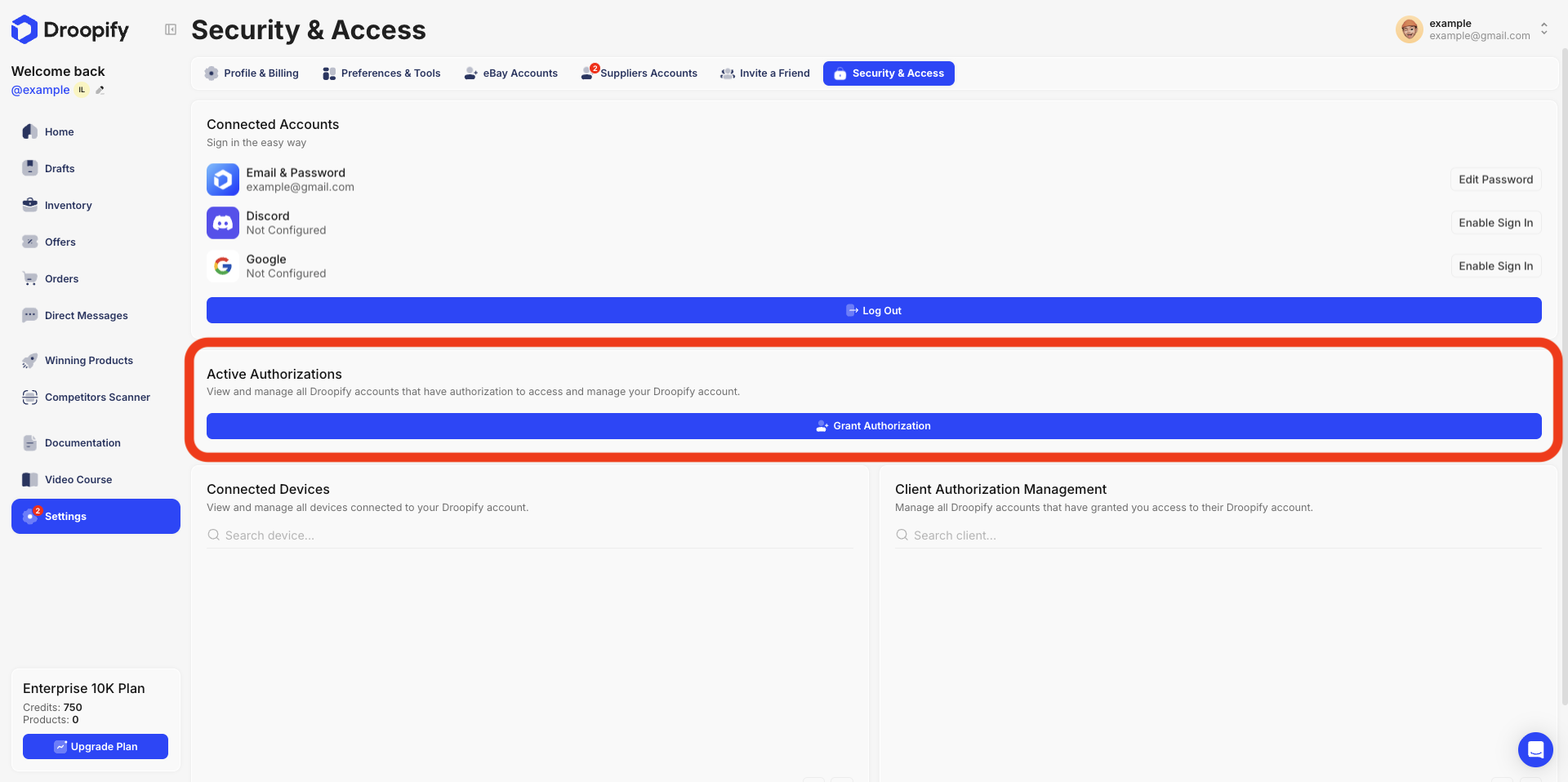
Settings: Log into the client’s account and go to
Settings -> Security and Access. -
Authorization: Click "Grant Authorization" (in the Active Authorizations panel).
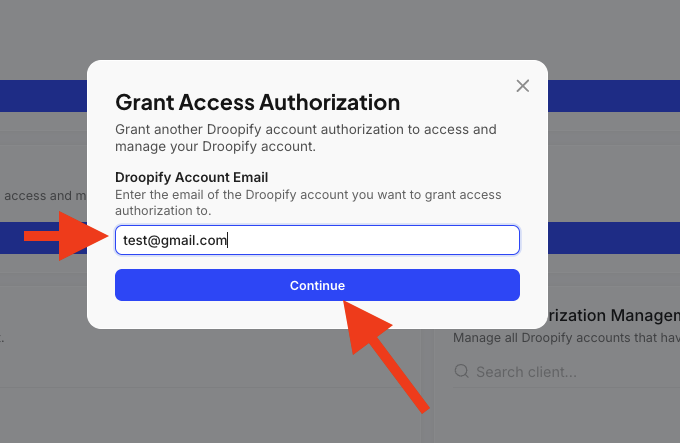
- Email: Enter the email of your main Droopify account in the panel that appears.
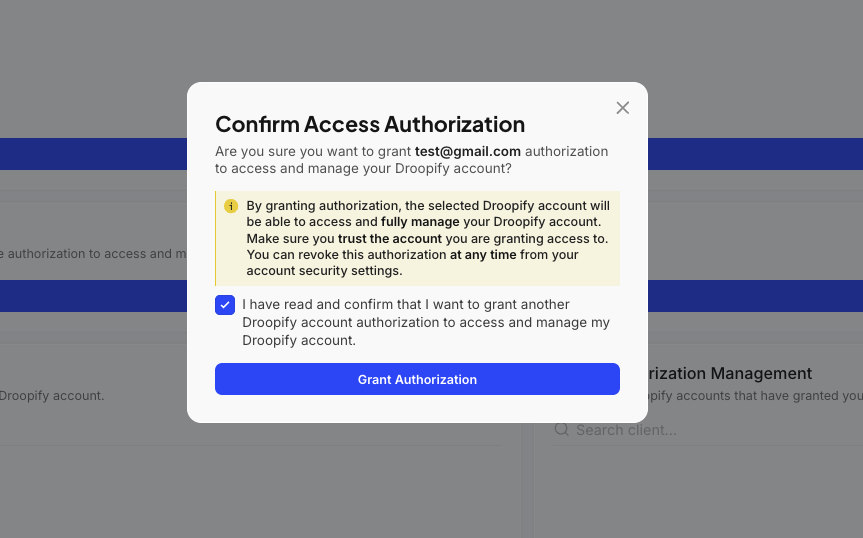
- Confirmation: Confirm the operation.
- Acceptance: Log into your main account; in the panel at the bottom right of the "Security and Access" page you will see the request. Click "Accept".
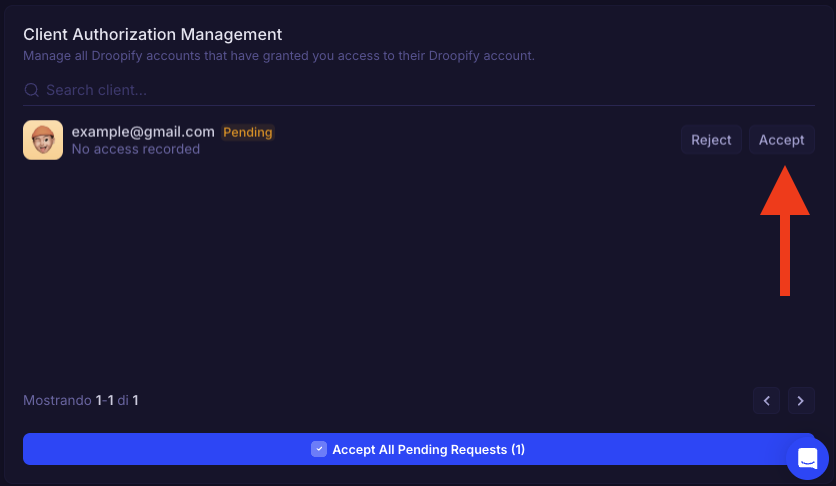
- Done: The user will now appear in the list of profiles you can manage directly.
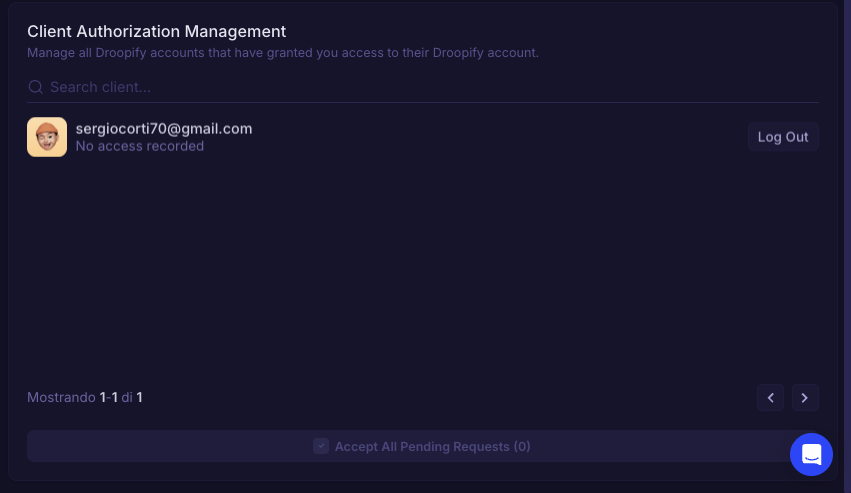
Accessing the client’s Droopify account
Once authorization has been obtained, you will be able to switch between profiles with a simple click. This system guarantees privacy and security: the client will never have to provide you with their personal passwords or OTP codes, because once the initial access is configured, you will be able to operate until the authorization is revoked.
Here’s how to do it:
- From the dashboard of your main profile, click at the top right on your username/email.
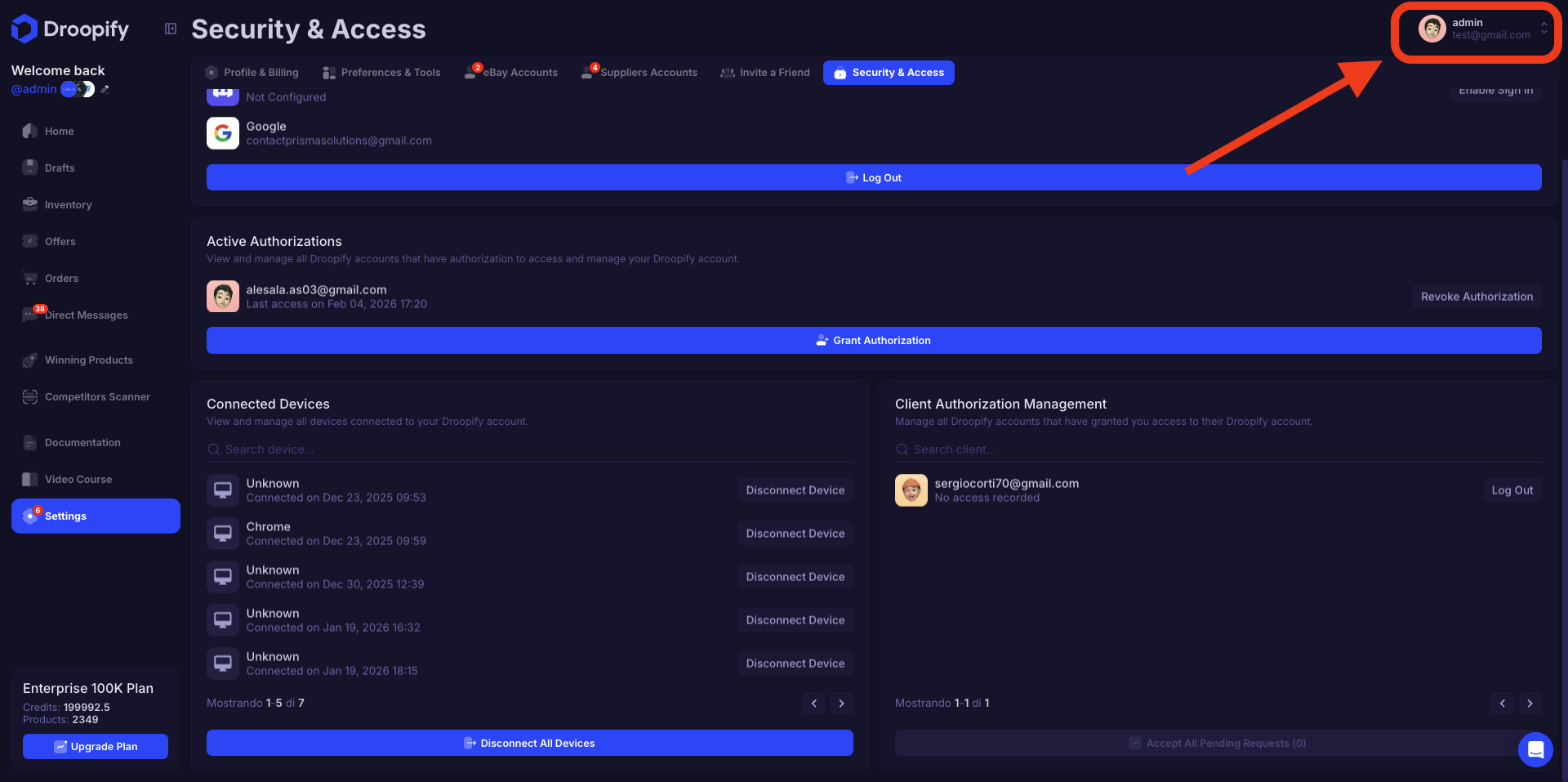
- Select "Switch account".
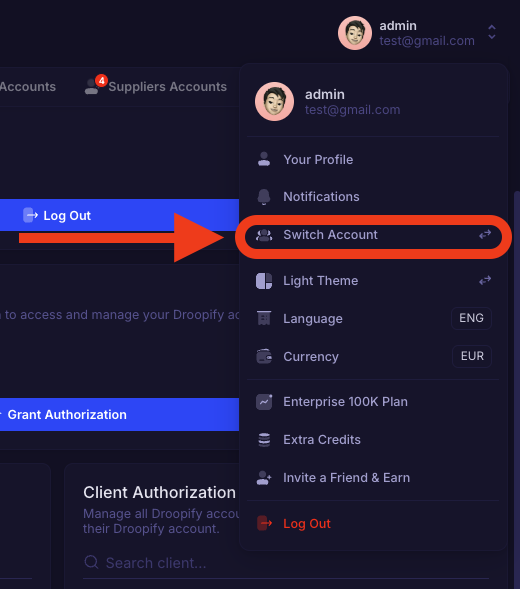
- Search for the client account you want to manage in the panel that opens and click "Login".
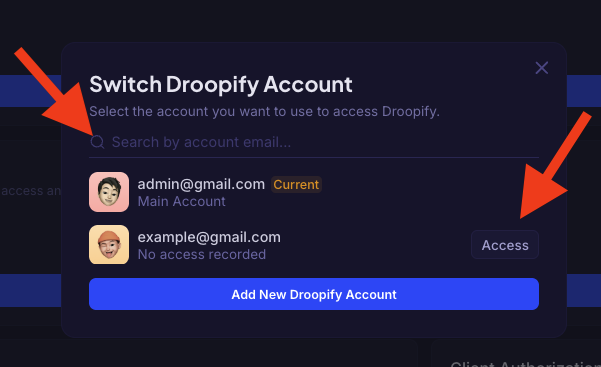
- The page will reload with the data of the selected account. Home, Settings, Orders and eBay Accounts will show only the client’s data. You will be able to upload drafts and fulfill orders as if you were logged in directly with their credentials.
Returning to your main account
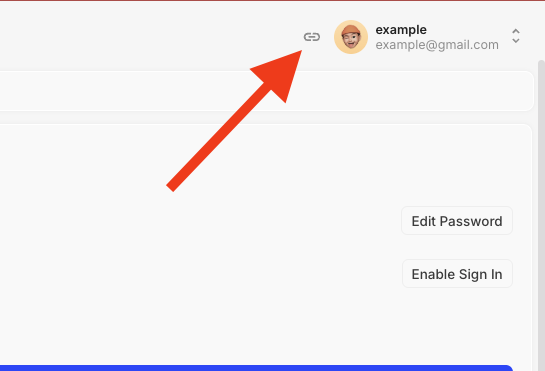
When you have finished operations on the client profile and want to return to your main account, just click on the icon indicated by the red arrow in the image (or repeat the "Switch account" procedure by selecting your profile). The page will reload showing your personal data again.
Conclusion
Managing a high-level "Done For You" service requires not only expertise, but also the right tools to ensure professionalism and security. Droopify eliminates at its root the problem of multi-account management, allowing you to scale your business without the stress of endless logins or the need to constantly switch browsers.
Thanks to the delegation system, you offer your clients a transparent and professional experience: they maintain full control and constant access to data (also via iOS app), while you work with maximum speed and efficiency from your main account. Are you ready to transform your dropshipping agency into an organized and cutting-edge system?